


Register Now
HOW TO REGISTER A TEAM
Select link Seniors: https://account.oztagaustralia.assemblesports.io/c/club/easthillssnrs/dashboard
Select link Juniors: https://account.oztagaustralia.assemblesports.io/c/club/easthillsjnrs/dashboard
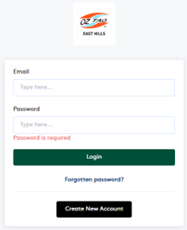
Create a new account if you don’t have an assemble sports account already
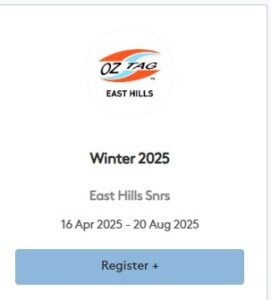
Then select Winter 2025 click Register + button
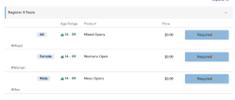
Then from the dropdown select which comp and click Required eg: Mens Opens
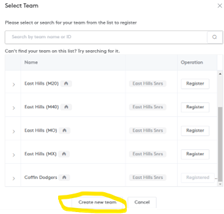
Then click Create New team, if you registering a existing team you
already registered previously in assemble select that team.
Then fill in team details then next
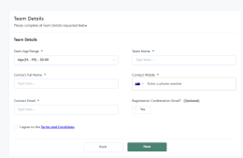
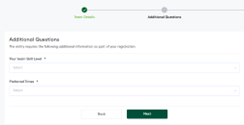
Answer 2 additional questions
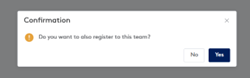
If you are not playing, select no
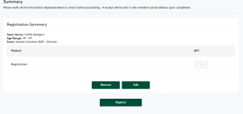
Then click register to complete TEAM registration
HOW TO REGISTER INTO A TEAM AS PLAYER
Select link Seniors: https://account.oztagaustralia.assemblesports.io/c/club/easthillssnrs/dashboard
Select Link Juniors: https://account.oztagaustralia.assemblesports.io/c/club/easthillsjnrs/dashboard
Create a new account if don’t have a assemble sport account already
Then select Summer 2025 Register
Then click join a team required and select the team you are registering in.eg Mens Opens
Select the team and then register EG Coffin Dodgers

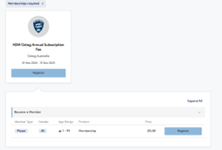
It will then make you get the new membership subscription if you have not done so this year.
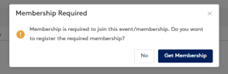
Once your subscription is done then it will take you back to the registering into your team
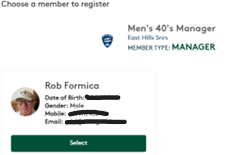
Then select your profile please note that your profile MUST have photo ID
Select and agree to T&C
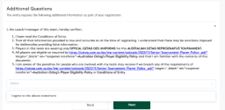
Then confirm and register